X · TWITTER AUTOMATION · YOUR OWN KEYSPost deals to X on your own keys.
Affiliaters posts converted deals to your X account using your own X developer app — four credentials, pasted once. Before you plan around it, one thing to know up front: you need a developer account on X, and X sets its own access tiers and posting limits. That part is between you and X; we cannot raise a cap or resell you access.
Four fields. Then it posts
as your account.
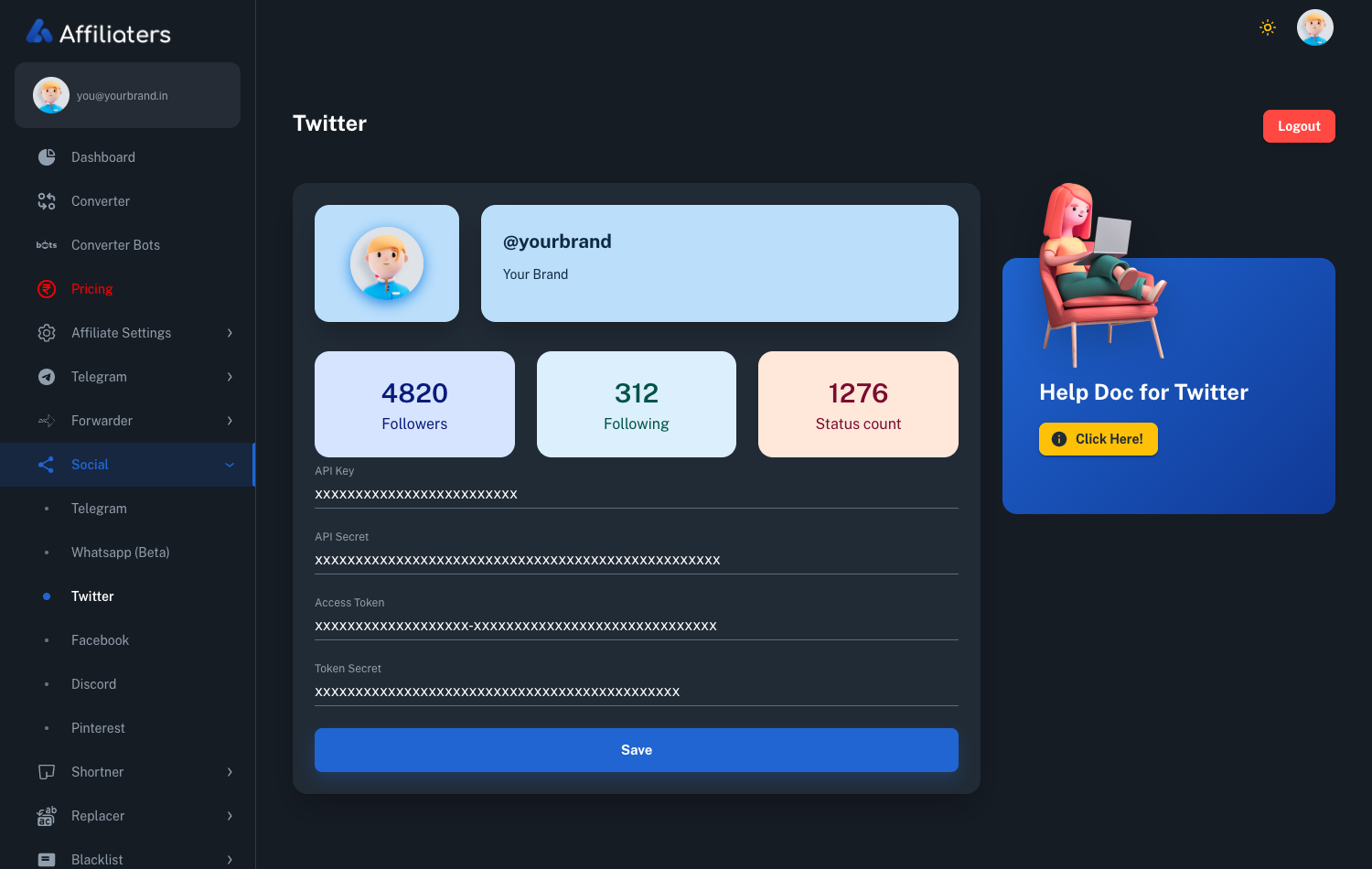
API key, API secret, access token and token secret — from an app you create in X's developer portal. Once saved, the screen shows the account it will post as, so you can tell at a glance that the right handle is connected.
- Your app, your credentials — not a shared pool, so nobody else's usage affects you
- Confirms the connected handle — with follower, following and post counts
- Revoke instantly from X — regenerate the keys there and posting stops, no ticket needed
- Same pipeline as every channel — your affiliate IDs, template, Replacers and Blacklist
One setup on X, then hands off.
Create an app on X
In X's developer portal, create a project and app, give it read and write permission, and generate the API key and secret plus an access token and secret.
Paste the four credentials
Drop them into the Twitter screen in your dashboard and save. Affiliaters checks them and shows you which handle is now connected.
Deals post automatically
Every conversion goes out as your account, with your affiliate IDs already applied — the same deal that reaches your other channels.
Why we ask you for keys instead of handling it for you.
It would be easier to sell if you could tick a box and be done. Here is why it works the way it does, and what that means for you.
X requires a developer account to post through its API, and it decides the access tiers, the posting limits and what they cost. Those limits change from time to time and they are not ours to change. Using your app means your posting quota is yours: it is not shared with every other Affiliaters customer, one heavy user cannot exhaust it, and if X ever suspends an app it is a conversation between you and X rather than an outage that takes everybody down at once.
The trade is real, and we would rather you knew it before paying for a plan than after. You have to create the developer app yourself, and if the free tier is not enough for how often you post, the upgrade is bought from X, not from us. Check X's current developer terms and limits before you build a routine around this — that page is the source of truth, not this one.
What you get in return
Control, mostly. The keys live in your dashboard and can be replaced whenever you like. If you want posting to stop this minute, regenerate the tokens in X's portal — the connection dies immediately and you do not need to ask us for anything. Nothing posts on your behalf beyond the deals you convert, and the account it posts as is shown on screen so there is no guessing which handle is live.
Everything upstream is unchanged: links converted with your own affiliate IDs, shortened on your own domain, Replacers and Blacklist applied, then the same deal fans out to Telegram, WhatsApp, Discord, Facebook and WordPress alongside X.
If you regenerate a key
The four credentials are not interchangeable, and X treats them as two pairs. The API key and secret identify your app; the access token and secret identify your account's permission to post through it. Regenerating either pair invalidates the old values immediately, so posting stops until the new ones are pasted in here. Nothing else is affected — your settings, channels and history are untouched.
The single most common setup problem is permissions rather than credentials. A new app on X is read-only by default, and read-only credentials authenticate perfectly well while failing every attempt to post. If the four fields are accepted but nothing appears on your timeline, the app's permission is the first thing to check — and note that changing it to read and write means regenerating the access token pair afterwards, because tokens carry the permission they were issued under.
Because the app is yours, the posting quota attached to it is yours as well. Whatever tier you are on with X applies to your account alone: no other Affiliaters customer draws it down, and a busy day on someone else's channel cannot exhaust it. The corollary is that the limits are set by X and can change without notice, which is a reason to keep an eye on your developer dashboard rather than on this page.
Deals longer than a single post are trimmed to fit before sending, with the converted link kept intact — the link is the part that earns, so it is the part that survives.
What it costs
X posting is included on the higher plans rather than the entry ones — so if X is the reason you are here, check which plan covers it before you subscribe. The full comparison is on the pricing page. Setup steps are in the docs, or ask @AffiliatersHelpBot — a human answers.