Bulk Affiliate Link ConverterSend anything.
Get money links back.
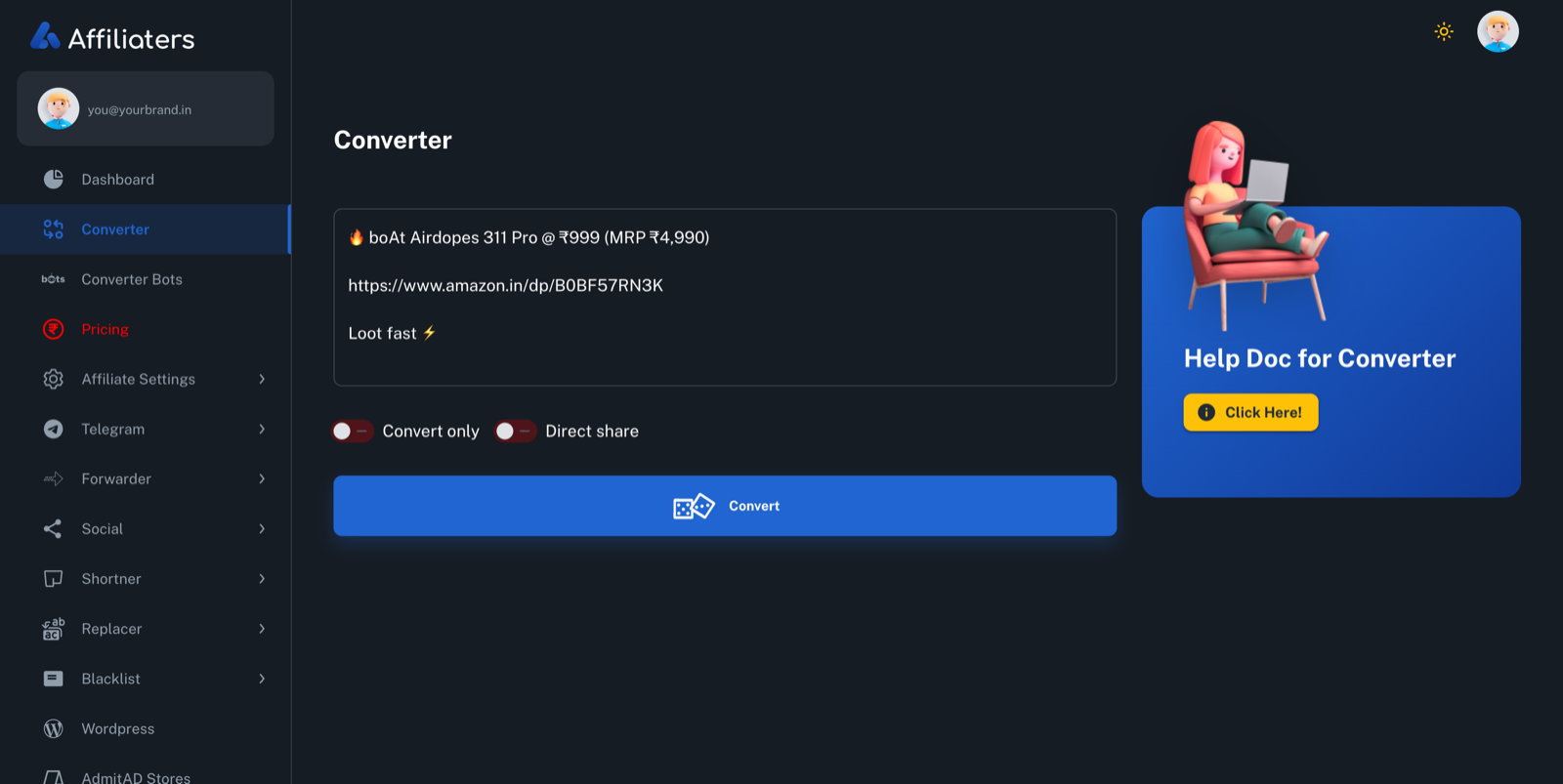
Drop a whole deal message into the converter — Amazon, Flipkart and six more networks, all mixed in one message. Affiliaters tags every link with your affiliate ID, shortens it on your domain, and can share it to all your channels in one click.
One message.
Every link becomes yours.
Built for how deal messages actually look: a caption, a price, three emojis and links from two or three different stores. No sorting, no converting one by one.
- Bulk convert — whole messages, multiple stores at once
- Convert-only or direct share — one toggle decides
- Every network — Amazon.in, Flipkart, Myntra, EarnKaro, Admitad, Cuelinks, Shopsy & more
- Shortens on your domain — or Bitly and Cuttly if you prefer
Convert from your phone.
No dashboard needed.
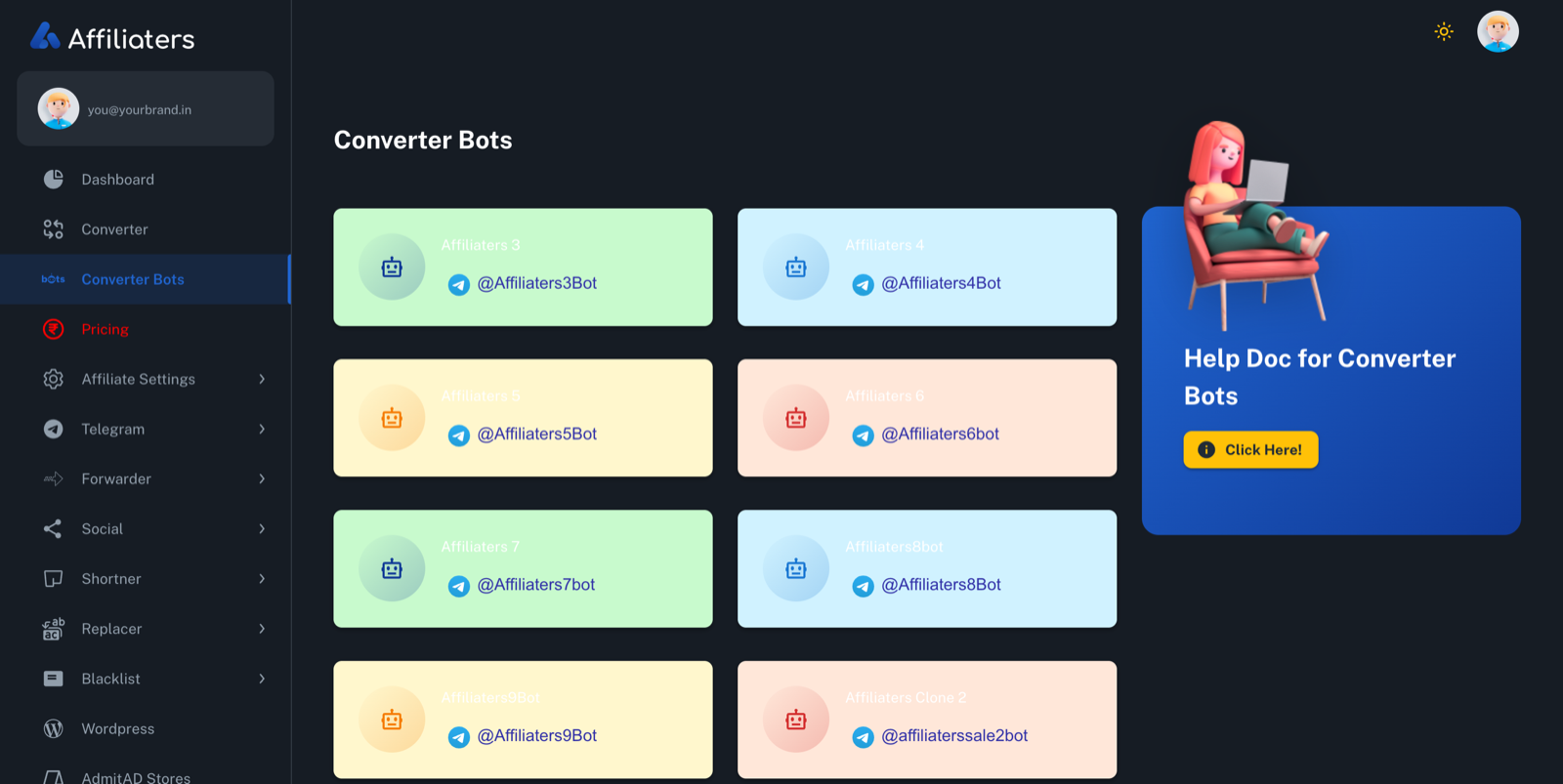
Saw a deal while standing in a queue? Forward the message to a converter bot on Telegram and get it back with your links — same engine, same networks, zero laptop.
- Public bot — @AffiliatersBot: send any link or deal, it comes back converted
- Wishlist Bot — part of the same bot family, right inside Telegram
- Private bot — your own branded bot for you and your team, on the higher plans
The bulk converter, explained properly.
How the affiliate link converter works
Send a message into the converter — a single Amazon link, or a full loot post with a caption, a price, emojis and links from three different stores. Affiliaters scans the text, finds every store URL, works out which affiliate network it belongs to, and rebuilds it as your affiliate link with your ID attached. Amazon.in links get your Amazon tag, Flipkart and Shopsy links route through whichever network you've connected them to, and store links from EarnKaro, Admitad, Cuelinks or any other connected network get wrapped with your own tokens. Each converted link is then shortened and dropped back into the message exactly where the original stood. Your text, line breaks and emojis stay untouched — only the links change.
Setup is a one-time job of a few minutes: add your affiliate IDs and tokens for the networks you use, point the shortener at your domain, and you're converting. If you have an Amazon PA-API key, plug that in too.
Whole deal messages, mixed stores, one step
Real deal messages are messy. A typical forward has an Amazon link, a Flipkart alternative underneath, and maybe a fashion-store link that only works through Cuelinks. A plain amazon flipkart link converter that handles one link at a time forces you to split that message apart, convert each piece in a different dashboard, and stitch it back together — for every single deal, all day.
The Affiliaters bulk converter takes the whole message in one go. Ten links, four stores, three different networks — it doesn't matter. Every link comes back tagged, shortened and in its original position. That's the entire difference between a link converter and a bulk affiliate link converter: the unit of work is the message, not the link.
Convert-only vs direct share
One toggle controls what happens after conversion:
- Convert-only — you get the converted message back. Review it, tweak the caption, add your own touch, then post it wherever and whenever you like. Good for curated channels where every post is hand-checked.
- Direct share — convert and post in the same click. The message goes out to every channel you've connected: Telegram channels and groups, WhatsApp groups (beta — it depends on external sources, so availability isn't guaranteed), Twitter/X, Facebook, Discord, and your WordPress blog if the addon is active.
Direct share is where the speed shows: one blast can reach every Telegram channel and WhatsApp group on your plan in seconds, and a shared deal typically lands everywhere within 5–10 seconds. If you want that to happen without you even pasting, the Telegram Forwarder watches your source channels and runs this exact pipeline 24×7.
Shortening and tagging — how your links get built
Every converted link carries your ID before it gets shortened, so the tracking survives the shortening. For the short link itself you choose: your own custom-domain shortener for fully branded links, or Bitly and Cuttly if you already live there. On top of that, your Replacers run on every converted message — swap "Hurry!" for your channel's signature line, strip source-channel handles, whatever you've set — and your Blacklist blocks any word, store or link you never want going out. Set both once; they apply to every conversion forever.
Why owning your links matters
Plenty of converter tools sit in the middle of your traffic: clicks route through their accounts, and you get paid whatever they decide to pass on. Affiliaters works the opposite way. You plug in your own affiliate IDs and tokens, so every rupee of commission tracks straight to your own network accounts — Affiliaters takes no cut, ever. Your short links live on your domain, your audience clicks a brand they recognise, and if you walk away tomorrow, your IDs, your domain and your subscribers all leave with you. That's what "your links" should actually mean.
The converter is included on every plan — see the pricing page. See the full feature list or the docs for setup guides per network.